Shipping methods
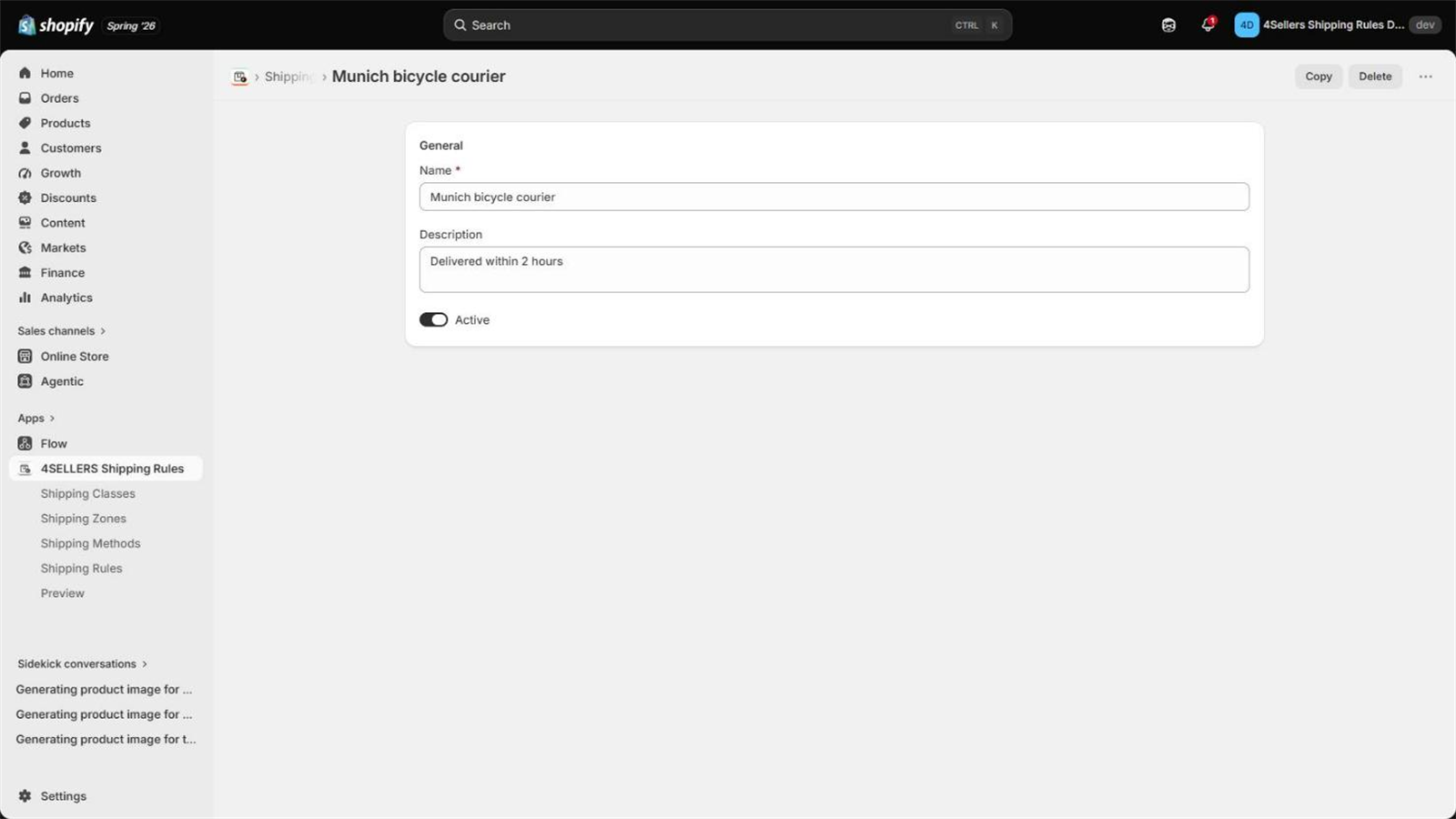
Methods are the shipping options your customer picks at checkout — Standard, Express, Bicycle courier. Rules decide whether a method is offered and at what price; the method itself only carries the name and description.
Fields of a method
| Field | Description |
|---|---|
| Name | Shown at checkout. Must be unique — the name is also the identifier the app hands to Shopify. |
| Description | Optional, shown at checkout below the name. |
| Active | Only active methods are offered. Inactive ones are ignored everywhere, including in rules that reference them. |
What happens when you save a method
Saving a method is the moment the app connects itself to your checkout. Two things happen:
- The carrier service is registered. The app creates a carrier service named
Shipping Rules Carrier Servicein your store, pointing at its own callback URL. If it already exists, only the URL is refreshed. This is the channel Shopify uses to ask for rates during checkout. - Your Shopify shipping settings are updated. In the delivery profile named
General profile, the app adds one shipping option to every zone of that profile — unless
an option for this carrier service is already there. Shopify lists it as
Shipping Rules Carrier Service (via app), marked Calculated.
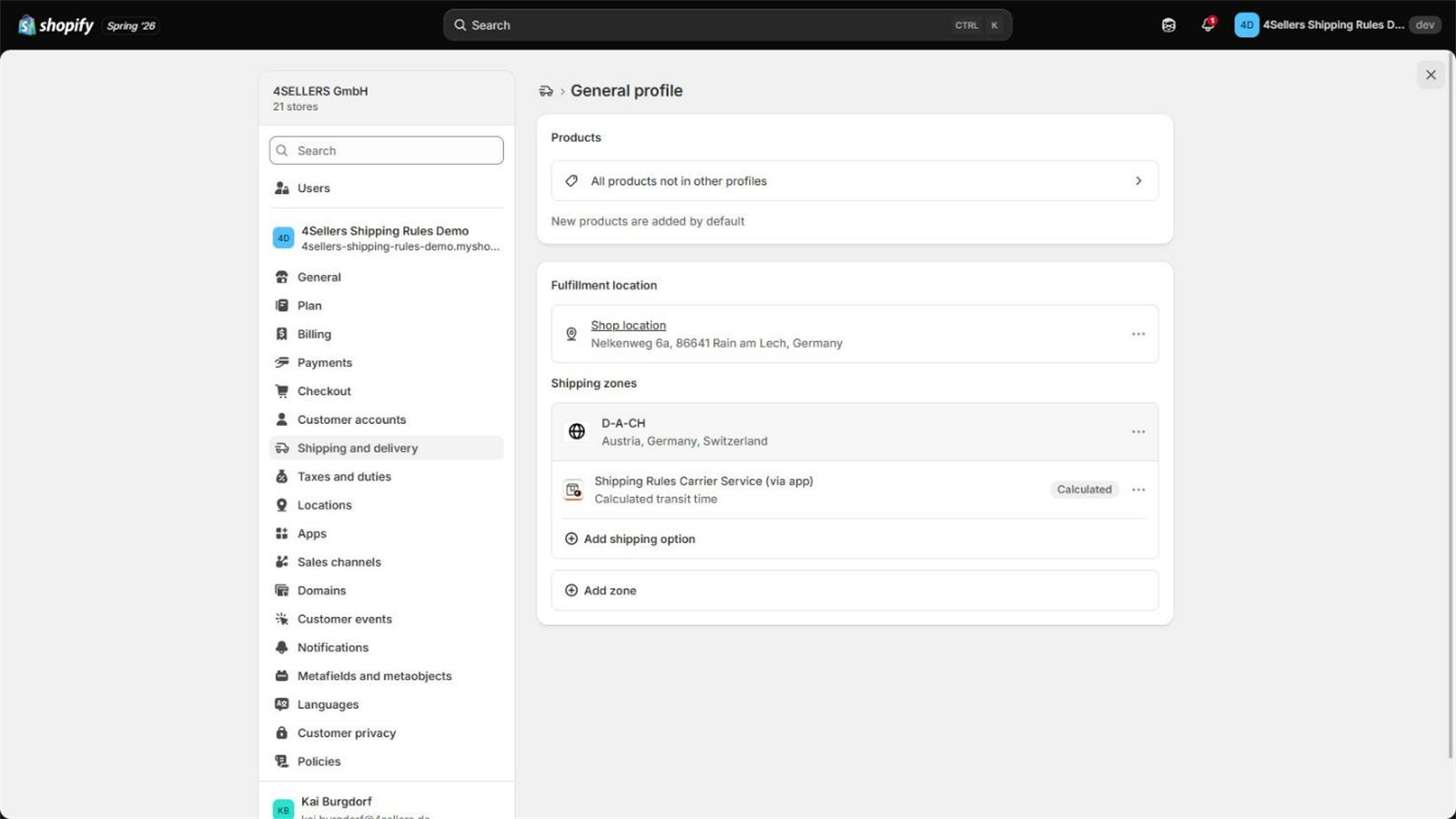
That single option is only the door. Which methods actually appear, and at which price, is decided by your rules at checkout time — that is why the individual method names are not visible in the Shopify shipping settings.
The sync looks for a delivery profile named exactly General profile and needs at least one zone in it. If that profile was renamed or has no zones, there is nowhere to attach the entry. See Troubleshooting.
Methods inside a rule
Each method you add to a rule can carry its own surcharges:
| Option | Effect |
|---|---|
| Fixed surcharge | A flat amount added for this method, for example an express fee. |
| Percentage surcharge | A percentage of the cart total, added for this method. |
| No further costs | This method ignores the rate tier, the zone surcharge and the class surcharges. Only its own two surcharges are charged. Use it for a free pickup option next to a paid delivery in the same rule. |
All methods of the winning rule are offered together, so the customer can choose between Standard and Express in one checkout.
For the full cost formula see Shipping rules.